This article explains how to grant BestNotes users the necessary permissions to view OutcomeTools data and administer surveys within a patient's chart.
Permissions Required
- View OutcomeTools data
- Connect to OutcomeTools
- Administrator (within OutcomeTools connection)
Connecting Users to OutcomeTools
1. Ensure there is a permission group that contains the permission "View OutcomeTools Data".
- To locate this permission: Settings>Security>Permission Groups. In the Clinical permissions, click View Outcome Tools Data.
- Note: This permission only gives the users the ability to view the OutcomeTools card and see a list of surveys taken along with their scores. To allow a user to administer surveys, you must go to the specific user's details and add them as an administrator of surveys.
- Select a permission group whose users you would like to be able to view the OutcomeTools card in a patient’s chart. You can add this permission to as many permission groups as you need to.
2. Select the user who needs to administer OutcomeTools surveys and go to their Management tab. Scroll down and check the box next to Connect to OutcomeTools.
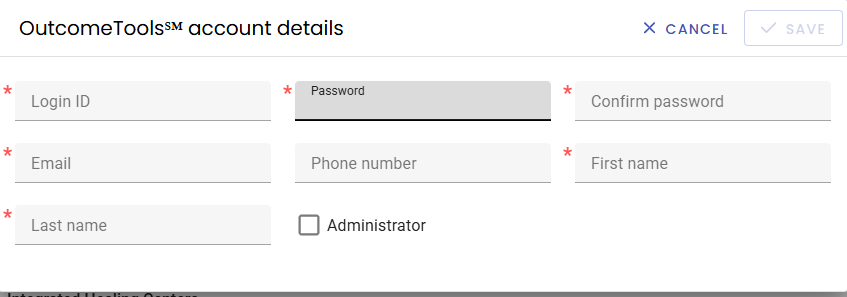
3. A window will open which will allow you to add the user's information. Please use their email address for the Login ID and create a password for them. If they are present, it would be ideal to have them enter their own password. Please select the Administrator box or they will not be able to administer surveys to patients.